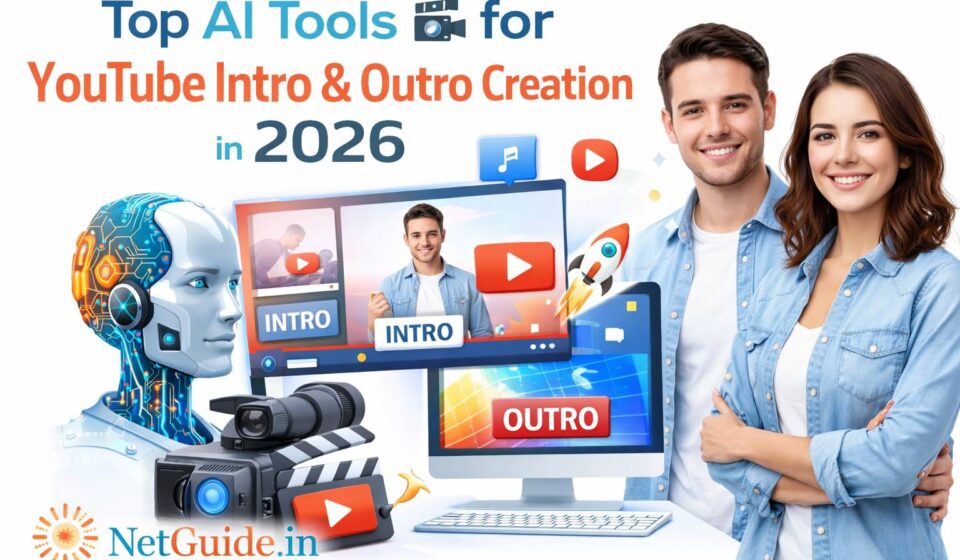
Top AI Tools for YouTube Intro & Outro Creation in 2026

In 2026, YouTube intros (5-15 second hooks with branding, channel name, tagline, music, and dynamic visuals) and outros (end screens with subscribe prompts, related video links, social calls-to-action, and branded farewell animations) are crucial for retention, branding, and algorithm performance. AI tools now automate creation from simple prompts, scripts, or templates — generating animated sequences, logo reveals, text animations, voiceovers, music sync, and exports in YouTube-safe formats.
Table Of Content
These tools focus on speed, customization, cinematic polish, and branding consistency for beginners and pros alike.
1. Best All-Round & Beginner-Friendly
- Canva Magic Studio — Still the #1 choice for most creators: AI intro/outro maker generates full animated sequences from prompts (e.g., “energetic tech channel intro with neon logo reveal” or “clean subscribe outro with end screen elements”). Huge templates, Magic Animate, beat-sync, text effects, voiceover add-ons, and direct YouTube export. Free tier is strong — no watermark on many exports.
Official link: https://www.canva.com/create/video-intros/ (or search “outro” in Canva)
Pricing: Free powerful tier; Pro ~$15/month for unlimited AI & premium assets. - InVideo AI — Prompt-to-intro/outro powerhouse: Input a description/script → AI generates scenes, adds voiceover, music, transitions, captions, and branded elements. Great for faceless channels or quick branded openers/closers.
Official link: https://invideo.io/make/youtube-intro-maker/ (or outro maker)
Pricing: Free limited; paid from ~$20-35/month.
2. Best for Animated & Professional Intros/Outros
- Renderforest — Dedicated intro/outro maker with thousands of customizable templates. AI assists in style matching, logo animation, text reveals, and music sync. Strong for cinematic or gaming-style intros and polished outros.
Official link: https://www.renderforest.com/intro-maker
Pricing: Free limited; paid from ~$9-49/month. - FlexClip — AI-powered editor with intro/outro templates: Auto-generates from prompts, adds effects, voiceovers, and end-screen elements. Good for quick, trendy YouTube branding.
Official link: https://www.flexclip.com/ (search “YouTube intro/outro”)
Pricing: Free tier; paid affordable (~$9-30/month).
3. Best for Advanced/Generative Intros & Outros
- Opus Clip / Opus Tools — Integrated outro maker: From your video content, AI suggests or generates branded outros with calls-to-action, related clips, and retention hooks. Great if you repurpose often.
Official link: https://www.opus.pro/tools/youtube-outro-maker
Pricing: Tied to Opus (~$15/month+). - CapCut — Free/mobile/desktop editor with AI templates: Auto-animate intros/outros, beat-sync music, text effects, voiceover, and end-screen additions. Beginner favorite for dynamic YouTube branding.
Official link: https://www.capcut.com/
Pricing: Free (Pro ~$7-15/month for advanced AI).
Other strong mentions:
- Placeit — Template-based intro/outro maker with AI customization.
- Adobe Express — Firefly AI for quick animated branding sequences.
Comparison Table: Top AI Tools for YouTube Intro & Outro Creation (2026)
| Tool | Best For | Key AI Features for Intro/Outro | Official Link | Starting Price (approx.) | Free Tier? | Animation/Branding Focus |
|---|---|---|---|---|---|---|
| Canva Magic Studio | Beginners & quick branded designs | Prompt-to-animation, templates, beat-sync | canva.com/create/video-intros | Free/Pro ~$15/mo | Strong | High (templates) |
| InVideo AI | Prompt/script-to-full sequence | Voiceover, scenes, music, transitions | invideo.io/make/youtube-intro-maker | ~$20-35/month | Limited | High (generative) |
| Renderforest | Animated/cinematic templates | Logo reveals, text animations, music sync | renderforest.com/intro-maker | ~$9-49/month | Limited | Very high |
| FlexClip | Trendy & easy YouTube branding | AI templates, effects, end-screen tools | flexclip.com | Free/Paid ~$9-30/mo | Good | High |
| CapCut | Free/mobile dynamic animations | Auto-animate, voiceover, sync | capcut.com | Free/Pro ~$7-15/mo | Strong | High |
| Opus Clip Outro | Repurposed content outros | AI-suggested CTAs, branded elements | opus.pro/tools/youtube-outro-maker | ~$15/month | Limited | Medium (retention) |
Frequently Asked Questions (Q&A)
Q1: What is the best AI tool for YouTube intros/outros in 2026?
A: Canva Magic Studio for ease/templates; InVideo AI for generative power from prompts.
Q2: Best free option for beginners?
A: Canva or CapCut — strong free tiers with animations, no watermark often, and YouTube-ready exports.
Q3: How to make intros/outros branded and consistent?
A: Use Canva/InVideo brand kits (upload logo/colors) or Renderforest templates — AI applies them automatically.
Q4: Good for animated logo reveals or end screens?
A: Renderforest/Canva lead for animated reveals; Opus for smart end-screen suggestions from content.
Q5: Safe/commercial use on YouTube?
A: Yes — most (Canva, InVideo, Renderforest) grant commercial rights; disclose heavy AI if needed (rare for intros/outros).
Final Thoughts
In 2026, Canva Magic Studio + InVideo AI is the winning combo for most creators: Canva for quick, template-driven branding, InVideo for prompt-based automation. Add Renderforest for cinematic animations or CapCut for free polish. Start with free tiers — prompt something like “energetic gaming channel intro with logo reveal and upbeat music” or “clean subscribe outro with social icons” to test results.
AI handles design/animation; your channel style, music choice, and CTA wording make them convert viewers.
Disclaimer: This post reflects popular tools and trends as of March 2026 based on reviews, creator tests, and usage reports. Features, pricing, and performance evolve quickly — always check official sites for the latest info. No tool guarantees higher retention/sub growth; success depends on content quality, thumbnails, titles, consistency, and YouTube’s algorithm. Use responsibly and comply with policies. 🎥